English to Punjabi Typing
Type in English and our tool will instantly transliterate it into Punjabi (Gurmukhi) script. Perfect for writing messages, social media posts, and documents.
How to Type in Punjabi using an English Keyboard?
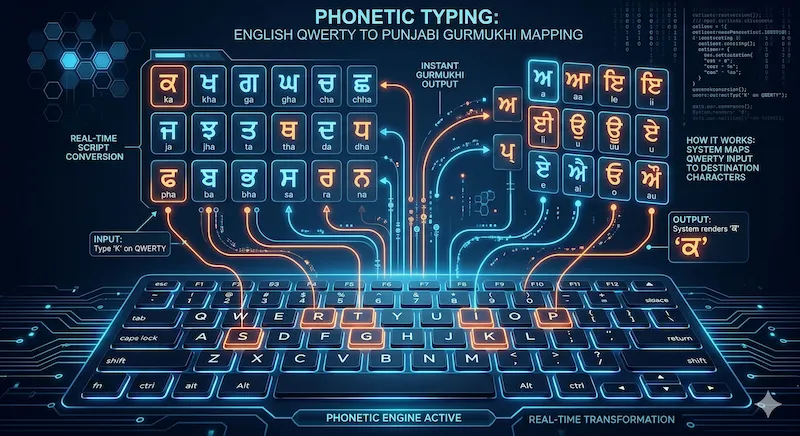
Writing in Punjabi using a standard QWERTY keyboard is incredibly easy with our tool. Whether you are in India or part of the global NRI diaspora in Canada, the UK, or Australia, you no longer need to memorize a complex native Punjabi keyboard layout. Our English to Punjabi Typing interface utilizes advanced phonetic transliteration.
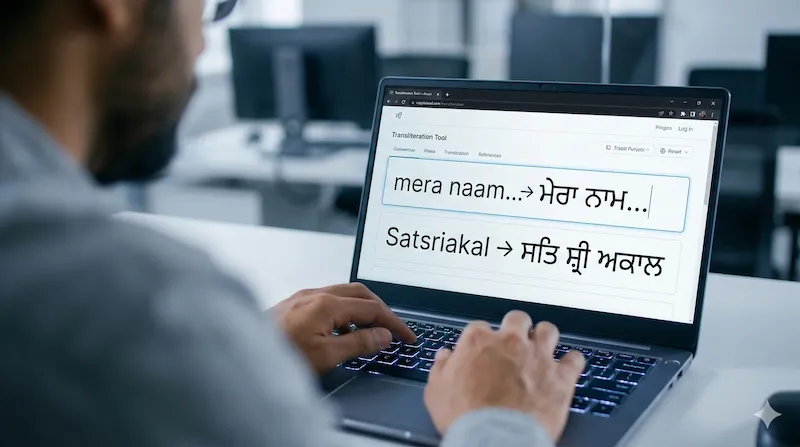
For example, if you want to type "ਪੰਜਾਬ" (Punjab), you just need to type punjab in the text box above and press the spacebar. The system instantly converts the phonetic English keystrokes into the correct Gurmukhi script.
💡 Pro Tip: Verify your typing speed
Once you are comfortable typing in Punjabi phonetically, you can evaluate your Words Per Minute (WPM) accuracy using our Standard Typing Speed Test. High typing speed is a great asset for communication and productivity.
English to Punjabi: How Phonetic Transliteration Works
It is important to understand that transliteration is entirely different from translation. Translation changes the actual meaning of a word from one language to another (e.g., changing "Water" to "ਪਾਣੀ"). Conversely, our Punjabi phonetic keyboard changes the script while retaining the phonetic pronunciation you type.
Here is a quick reference table showing how common phonetic words are converted into the Gurmukhi script using our web tool:
| English Word (Meaning) | Phonetic Input (You Type) | Punjabi Output (Result) |
|---|---|---|
| Hello / Greetings | sat sri akal | ਸਤਿ ਸ੍ਰੀ ਅਕਾਲ |
| How are you? | ki hal hai? | ਕੀ ਹਾਲ ਹੈ? |
| Punjab | punjab | ਪੰਜਾਬ |
| Thank You | dhanwad | ਧੰਨਵਾਦ |
Why Use Our Online Punjabi Typing Tool?
While there are many Indic input tools available, downloading software to your PC or installing third-party keyboard extensions on your smartphone can consume storage and pose privacy risks. Our web-based Punjabi typing software offers several unmatched benefits:
-
✓Zero Installation Required: Works flawlessly directly within Google Chrome, Safari, or Edge on any operating system (Windows, Mac, Linux).
-
✓100% Privacy Focused: We do not save your keystrokes. Your personal messages, emails, and notes remain entirely on your local device.
-
✓Instant Copy & Paste: With a single click of the "Copy Text" button, you can move your Punjabi text into WhatsApp, MS Word, or social media platforms.
Troubleshooting: Hardware vs. Typing Issues
If you are attempting to type phonetically, but certain letters are missing, double-typing, or severely delayed, the issue is likely not with the phonetic converter, but rather with your computer's physical keyboard. Dust accumulation under laptop keys or oxidized switches on mechanical keyboards are common culprits.
We highly recommend utilizing our Online Keyboard Tester to verify if your spacebar, enter key, and all alphabetic keys are registering electrical signals correctly. If a specific key registers twice in a single press, you can run our Chattering Test to measure the hardware bounce delay.
Frequently Asked Questions
How does English to Punjabi typing work?
Our tool uses a fast phonetic transliteration engine. When you type Punjabi words using English letters, such as 'punjab', the tool automatically converts it into the Gurmukhi script (ਪੰਜਾਬ) when you press the spacebar.
Do I need to install Punjabi font software like Raavi?
No. This tool runs entirely in your web browser. You do not need to download or install any external Punjabi fonts (like Raavi or Joy), Indic input tools, or keyboard extensions on your PC or mobile device.
Is it safe to type personal messages here?
Yes, absolutely. The text conversion happens instantly on your end, and we do not store, save, or track any of the text you type or translate on our servers. Your privacy is 100% guaranteed.
How can I copy the Punjabi text?
Once you have finished typing, simply click the 'Copy Text' button located below the typing area. You can then paste the Punjabi text into WhatsApp, Facebook, MS Word, or any other application.
Does this Punjabi keyboard work on mobile?
Yes. Our English to Punjabi typing tool is fully responsive and works perfectly on Android smartphones, iPhones, and tablets without requiring a dedicated mobile app.