Keyboard Tester Online
Verify every key on your PC or Laptop instantly. Start typing on your physical keyboard to check for dead or stuck switches.
Desktop Browser Recommended
Testing a physical keyboard requires a physical connection. Please visit this website on your PC, Laptop, or Mac to access the full diagnostic tool.
🛠️ How Our Diagnostic Engine Works (The Tech Specs)
Unlike cheap tester scripts, KeyboardTest.cc is built on the native browser KeyboardEvent API. It directly intercepts hardware scancodes (like event.code and event.key) at the OS level. This means it can accurately differentiate between left/right modifiers, detect ghosting limits, and register polling rates without any software interference.
How to Check Keyboard Online Instantly
Your keyboard is the primary hardware interface for your computer. Over time, dust, liquid spills, and mechanical wear can cause unresponsive keys, unwanted double typing, or frustrating input lag. To begin diagnosing your hardware:
- A
Press any key. It will highlight in solid blue, indicating your computer successfully received the electrical signal.
- A
When released, it remains faintly colored to help you track which keys you have already tested.
🍎 Are you using a MacBook or Apple Magic Keyboard?
The tester above features a standard Windows PC layout. If you want native detection for Apple's unique Command (⌘) and Option (⌥) keys, please head over to our Dedicated Mac Keyboard Tester.
Common Keyboard Issues & Hardware Diagnostic Guide
If a key on our virtual tester fails to light up or behaves erratically, you can use the diagnostic table below to identify the exact root cause and find the right tool to measure it:
| Symptom on Tester | Likely Hardware Issue | Recommended Action |
|---|---|---|
| Key never lights up | Dead Switch or Broken Trace | Clean the switch with compressed air. If it fails, replacing the switch or the entire keyboard is required. |
| Pressing one key types two letters | Switch Chattering (Bounce) | The metal contacts inside the switch are vibrating. Verify this delay using our Chattering Test. |
| Keys don't register when playing games | Hardware Ghosting (Rollover) | Cheap keyboards cannot process multiple simultaneous inputs. Check your limit with our Ghosting Test. |
| Inputs feel sluggish or delayed | High Input Latency | Check if your Bluetooth/USB polling rate is dropping using our Latency Test. |
Laptop Keyboard Tester: HP, Dell, Lenovo & ASUS
Unlike external USB keyboards that can easily be swapped, a broken key on a laptop is a major headache and often requires replacing the entire top chassis. Our tool serves as an excellent laptop keyboard tester because it operates directly in your browser, bypassing any potentially corrupted driver software.
It accurately maps the internal scancodes used by major Windows laptop manufacturers. If a key works on this website but fails in a specific video game or application, you have a software binding conflict, not broken hardware.
Water Spill on Keyboard: An Engineer's Emergency Guide
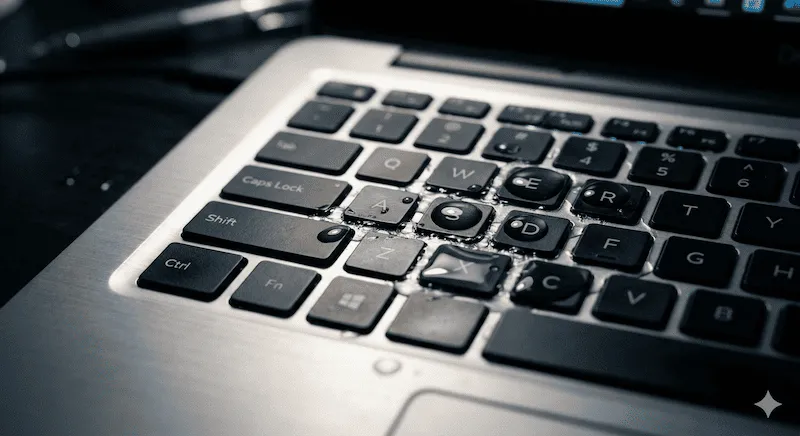
As PC builders and gamers ourselves, we know the sheer panic of knocking a cup of coffee or soda onto a $150 mechanical keyboard. Spills are the #1 killer of hardware. If this just happened to you, every second counts to prevent a short circuit on the PCB.
⚠️ Emergency Steps for Liquid Spills
- Disconnect Immediately: Unplug the USB cable. If it is a laptop, force power it down by holding the power button for 10 seconds.
- Flip it Over: Turn the keyboard upside down immediately to prevent liquid from reaching the deeper circuits.
- Do NOT Use a Hair Dryer: The intense heat will melt the delicate plastic membrane domes beneath the keys. Let it air dry for at least 48 hours.
- Test Safely: Once completely dry, plug it back in and use this page to check if any keys shorted out or became sticky.
Mechanical vs Membrane: Which Keyboard Fails First?
When running a keyboard button test, the type of keyboard you own dictates how easy it is to repair. Here is how the two dominant technologies compare in terms of durability:
| Keyboard Type | Lifespan | Failure Mode & Repairability |
|---|---|---|
| Membrane / Laptop | 5 - 10 Million Keystrokes | Relies on a single rubber dome sheet. Prone to feeling "mushy" over time. If a trace breaks, the entire keyboard must be thrown away. |
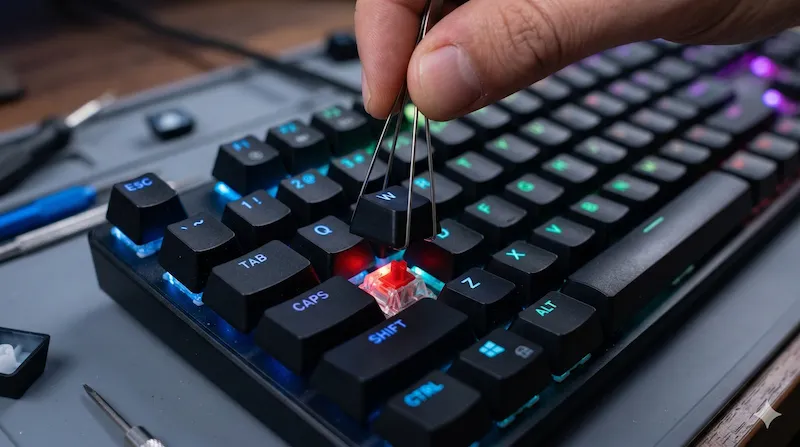
| Mechanical (Cherry MX, etc.) | 50 - 100 Million Keystrokes | Uses individual spring-loaded switches. Prone to "chattering" (double-clicking) due to dust. Highly repairable; you can usually replace a single broken switch. |
Why Are My Keyboard Keys Typing Double?
If you press the spacebar once, but two spaces appear on the screen, your keyboard is suffering from Switch Bounce (Chattering). This happens when the metal leaf inside a mechanical switch oxidizes or bends, causing the electrical current to fluctuate rapidly during a single press. Your computer misinterprets this fluctuation as multiple intentional clicks.
Before throwing the keyboard away, you should run our Chattering Test to find out exactly which keys are bouncing, and then try blowing compressed air into the switch housing to dislodge any dust.
Frequently Asked Questions
How can I check my keyboard online?
You can check your keyboard online by simply typing on your physical keyboard while on this page. Our virtual keyboard will light up the corresponding keys in real-time. If a key doesn't highlight, it usually means there is a physical hardware issue.
Is this a reliable keyboard tester for laptops?
Yes. Our tool is an excellent keyboard tester for laptop users. Whether you have an HP, Dell, Lenovo, or Asus, you can easily test if your built-in laptop keyboard has any unresponsive or stuck keys without installing any software.
Does this work as a Mac keyboard test?
While you can test standard keys here, we highly recommend visiting our dedicated Mac Keyboard Tester page linked in our guide, which natively supports Apple layouts including Command (Cmd) and Option (Opt).
What should I do if a key is typing twice?
If a single press outputs two characters, your switch is experiencing hardware "chattering" or switch bounce. You can diagnose the exact millisecond delay of this fault using our dedicated Keyboard Chattering Test.
How do I fix a key that is stuck or sticky?
Sticky keys are usually caused by spilled liquids or debris. Turn off the keyboard, use a keycap puller to remove the keycap, and gently clean the switch housing with Isopropyl Alcohol (99%) and a cotton swab.
Can I test my mouse with this website?
Yes! Navigate to the 'Hardware Tests' menu at the top of the page. We offer comprehensive diagnostic tools for mice, including a Double Click Test, Scroll Wheel Test, and Polling Rate (Hz) Test.
Disclaimer & Repair References: The hardware repair advice provided on KeyboardTest.cc is for informational purposes. If your laptop is under warranty, opening the chassis may void it. For severe liquid damage, we recommend consulting professional teardown guides such as those provided by iFixit.